5 min read
How to add Trendmule's MCP server to Claude, Cursor and VS Code
Ask your AI assistant what's rising, right in the chat. Setup takes about five minutes.

Contents
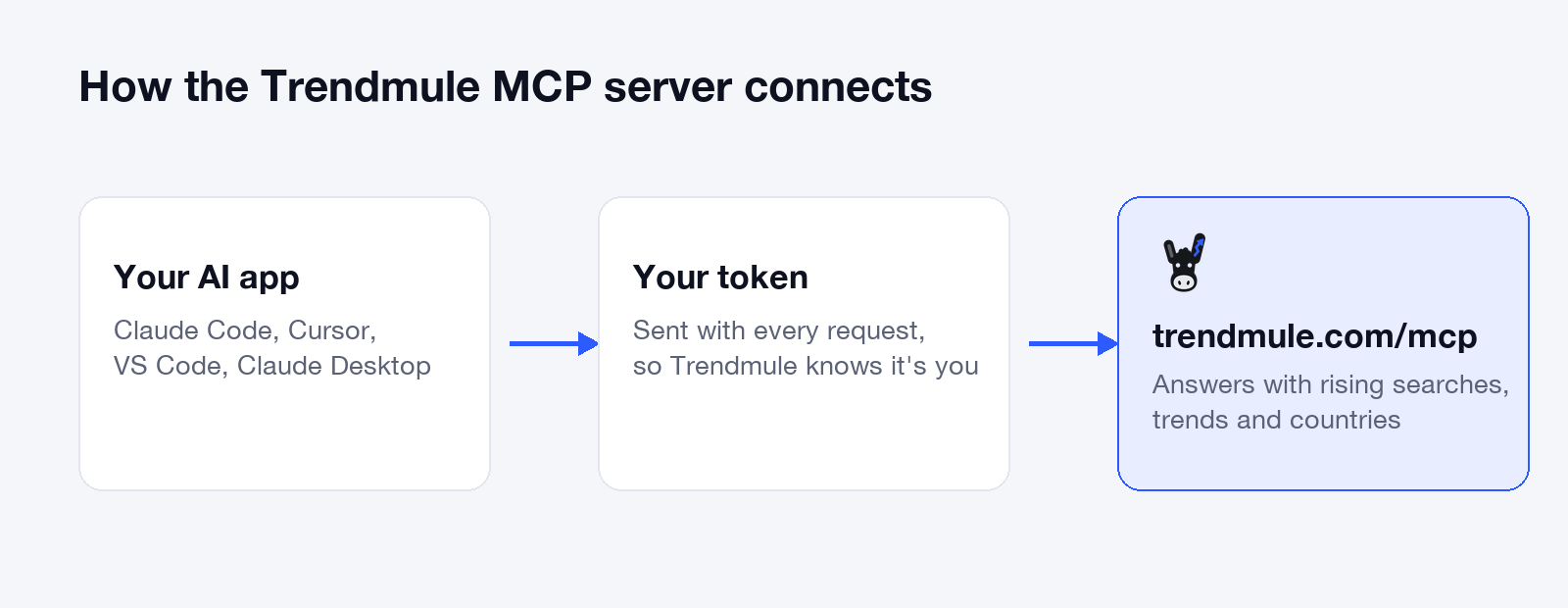
To add Trendmule to your AI assistant, create a token at trendmule.com/account/mcp, then give your app two things: the server address https://trendmule.com/mcp and the header Authorization: Bearer followed by your token. This guide shows exactly where those go in Claude Code, Cursor, VS Code and Claude Desktop, and takes about five minutes.
Once it's connected, you can ask about rising searches without leaving the chat, for example "What's rising in fitness in the US this week?"
What is the Trendmule MCP server?
The Trendmule MCP server is a connection that lets an AI assistant read Trendmule, a dashboard of rising Google searches for creators and app makers. MCP (Model Context Protocol) is the open standard most AI apps use to plug in outside tools. Your assistant sends a question to Trendmule, gets the trend data back and answers you in plain words.
Before you start
You need three things:
- A Trendmule account. Sign in at trendmule.com with your email; there's no password, just a one-time code. Trendmule is in early access, so join the list first if you're not in yet.
- A plan with MCP calls. Creator includes 2 calls a month, enough to try it. Pro has unlimited calls. See pricing.
- One of the apps below. Claude Desktop also needs Node.js 18 or newer.
Step 1: Create your MCP token
- Sign in and open Account → MCP.
- Create a token and copy it.
- Keep it somewhere safe. Anyone with the token can use your Trendmule calls, so treat it like a password.
In the steps below, replace YOUR_TRENDMULE_TOKEN with the token you copied. Keep the word Bearer and the space after it.
Step 2: Connect your app
Pick your app. Each one takes one command or one short config file.
Claude Code
Run this in your terminal:
claude mcp add --transport http trendmule https://trendmule.com/mcp --header "Authorization: Bearer YOUR_TRENDMULE_TOKEN" --scope user--scope user makes Trendmule available in every project. Leave it out to add it to the current project only.
Cursor
Open ~/.cursor/mcp.json (create it if it doesn't exist) and add:
{
  "mcpServers": {
    "trendmule": {
      "url": "https://trendmule.com/mcp",
      "headers": { "Authorization": "Bearer YOUR_TRENDMULE_TOKEN" }
    }
  }
}
Use the file in your home folder, not .cursor/mcp.json inside a project, so your token never ends up in a code repository.
VS Code (GitHub Copilot)
Open the Command Palette, run MCP: Open User Configuration, and add:
{
  "inputs": [
    { "type": "promptString", "id": "trendmule-token", "description": "Trendmule MCP token", "password": true }
  ],
  "servers": {
    "trendmule": {
      "type": "http",
      "url": "https://trendmule.com/mcp",
      "headers": { "Authorization": "Bearer ${input:trendmule-token}" }
    }
  }
}
VS Code asks for the token the first time the server starts and stores it securely, so it isn't saved in the file. Note the top-level key is servers, not mcpServers. See the VS Code MCP reference for more options.
Claude Desktop
Claude Desktop connects through a small bridge called mcp-remote, which runs on your computer. Open the config file:
- Mac:
~/Library/Application Support/Claude/claude_desktop_config.json - Windows:
%APPDATA%\Claude\claude_desktop_config.json
Add Trendmule under mcpServers:
{
  "mcpServers": {
    "trendmule": {
      "command": "npx",
      "args": ["-y", "mcp-remote", "https://trendmule.com/mcp", "--header", "Authorization:${AUTH_HEADER}"],
      "env": { "AUTH_HEADER": "Bearer YOUR_TRENDMULE_TOKEN" }
    }
  }
}
Then quit Claude Desktop completely and open it again. The token sits in env with no space after Authorization: in the arguments, because Claude Desktop on Windows can break arguments that contain spaces.
Other apps
Any app that supports remote MCP servers over HTTP with custom headers works the same way: the address https://trendmule.com/mcp and the header Authorization: Bearer YOUR_TRENDMULE_TOKEN.
Step 3: Check that it works
Ask your assistant a question it can only answer with Trendmule, for example:
- "What searches are rising in fitness in the US this week?"
- "Is matcha still rising in the UK, or is it already fading?"
- "Find rising searches about candles I could write about this month."
If the app shows a tool call to Trendmule and answers with real searches, you're connected. For questions worth asking, see how to find trending keywords. You can also check the connection list: claude mcp list in Claude Code, the MCP list in Cursor Settings, or the tools button in Copilot Chat's Agent mode in VS Code.
How to fix common errors
- "invalid_token" or a 401 error. The header didn't arrive or the token is wrong. Check it reads
Bearer, one space, then the token, with no extra spaces or line breaks from pasting. If in doubt, create a new token. - Trendmule doesn't appear in Claude Desktop. Quit the app fully and reopen it. Check the config file is valid JSON (a missing comma breaks it) and that
node -vin a terminal shows version 18 or newer. - No Trendmule tools in VS Code. Switch Copilot Chat to Agent mode; MCP tools only show up there.
- It worked, then stopped on the Creator plan. You may have used your 2 calls for the month. Pro has unlimited calls.
- You shared your token by mistake. Create a new one at Account → MCP and update your app's config.
Questions people ask
Which AI apps work with Trendmule's MCP server?
Claude Code, Cursor, VS Code with GitHub Copilot and Claude Desktop, plus any app that supports remote MCP servers with custom headers. As of October 2026, ChatGPT isn't supported because its connectors can't send a token.
Is the Trendmule MCP server free?
MCP is included in Trendmule's plans: Creator includes 2 calls a month and Pro includes unlimited calls, as listed on the pricing table in October 2026.
Is it safe to put my token in a config file?
Yes, if the file stays on your computer. Use the user-level config rather than a project file, so the token never lands in a shared code repository, and replace the token if you think it leaked.